

Finding a recording
Meetings → Recordings lists everything that has been recorded, in two views:- List — a table of title, date, participants, and icons showing which assets exist (video, audio, summary).
- Calendar — the same recordings plotted by date.
+N more
count. Clicking any row opens the recording.
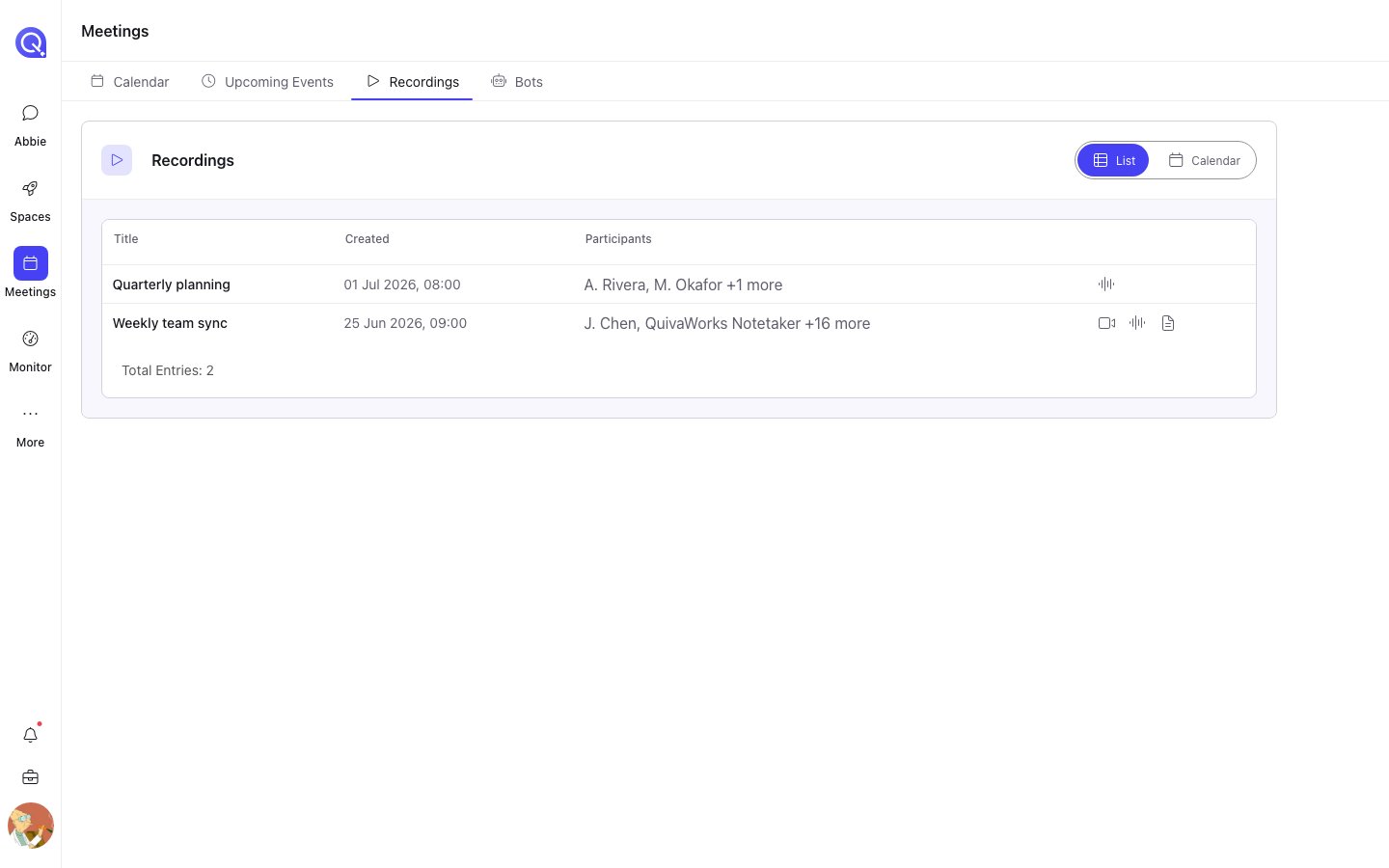
The Recordings list. The icons on the right show which assets each recording has.
The recording
A recording opens with three tabs:Audio
The audio player, with the transcript alongside it.
Video
The video player, with the transcript alongside it.
Summary
The written summary, and the controls to generate one.
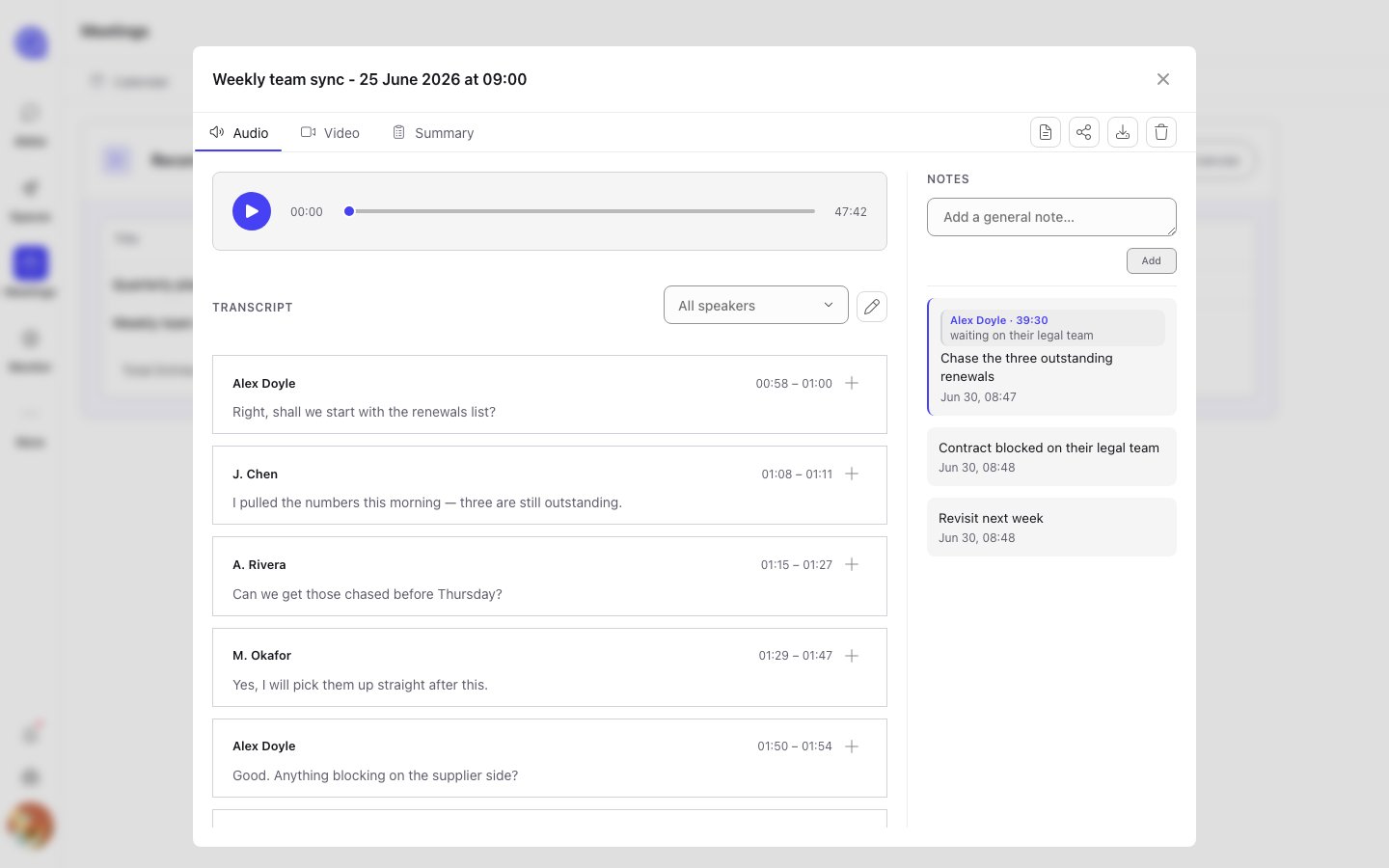
A recording open on the Audio tab: player, transcript and the notes panel.
Editing the transcript
Transcripts are machine-generated and get names, jargon and acronyms wrong. The transcript panel is editable, so those can be fixed. There is also find and replace across the whole transcript — the fastest way to correct a name that was misheard consistently throughout an hour-long call. Edits are saved back to the recording, so the corrected text is what any summary generated afterwards will be working from.Fix the transcript before generating a summary. A summary is written from the transcript as it
stands at that moment — correcting the transcript afterwards does not update a summary that has
already been generated.
Notes
Notes taken during the meeting on the live transcript page appear here, and more can be added afterwards. A note can be general to the meeting, or anchored to a specific transcript segment — clicking an anchored note jumps to the moment it refers to. Every note records its author. Everyone who can see the recording sees every note, but only the author can edit their own.The toolbar
Download follows the active tab, so switch to Video before downloading if the video is what you
want.
Recordings that disappear on their own
A bot configured with Recording retention: Timed deletes its recording automatically after the set number of hours. Its bot status becomes Media Expired. Anything shared into a Space before that point stays.Summaries and templates
Generating a written summary, and controlling how it is written.
Sharing to a Space
Getting a recording into the folder it belongs to.