

Quick start checklist
1
Create Your Account
Sign up and verify your email address
2
Secure Your Account
Add a passkey or an authenticator app, and save your recovery codes
3
Choose a Plan
Start on Free, or move to Pro or Team when you need more
4
Start Working
Brief Abbie, create a Space, or build your first assistant
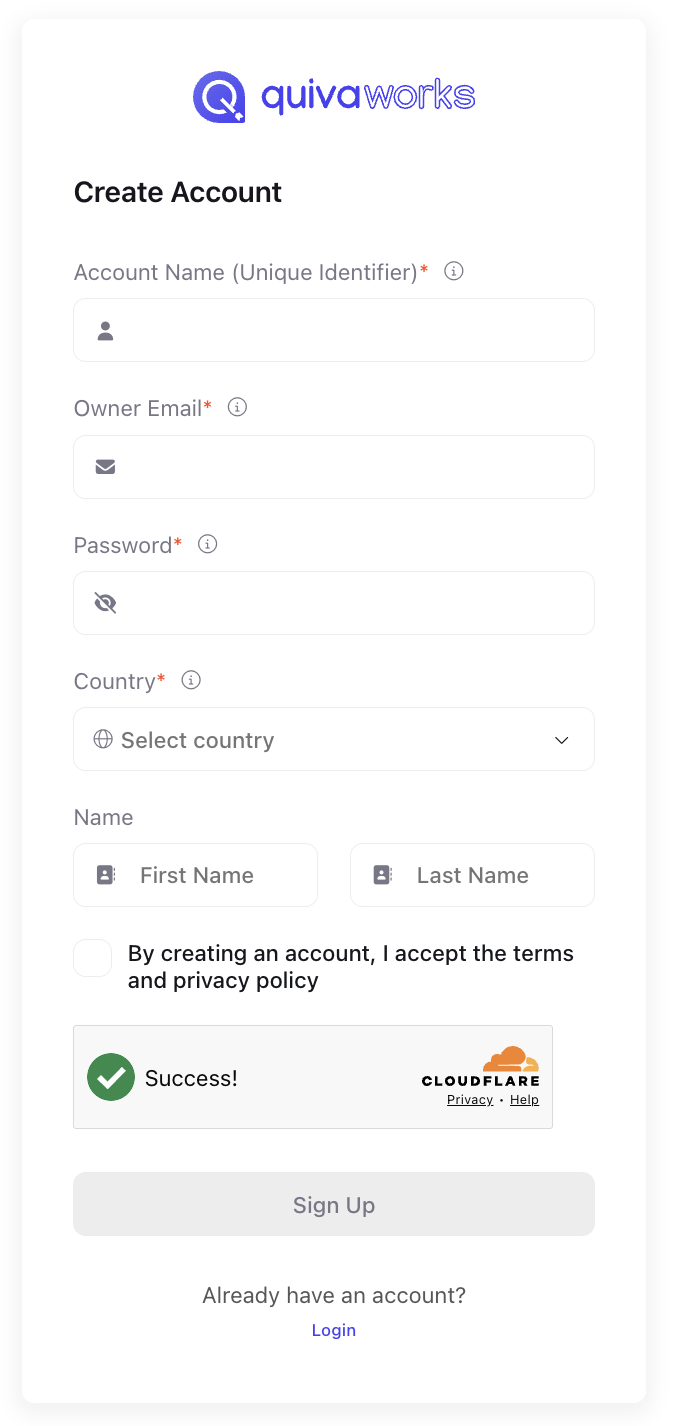
Create your account
Registration
- Visit https://app.quiva.ai/en/signup
- Fill in the form:
- Account Name (Unique Identifier) — the name you and your team will sign in with. It is case-insensitive: it’s lowercased and trimmed when saved, so
Acmeandacmeare the same account. The same email address can be used across more than one account. - Owner Email — the account owner’s email address. It can be changed later in personal Settings under Credentials.
- Password — see the policy below
- Country
- Name — first and last
- Account Name (Unique Identifier) — the name you and your team will sign in with. It is case-insensitive: it’s lowercased and trimmed when saved, so
- Accept the Terms and Privacy Policy
- Complete the Cloudflare check — to confirm you’re a human
Password policy
Your password must:- be at least 8 characters and no more than 72
- contain at least one uppercase letter
- contain at least one lowercase letter
- contain at least one number
- contain at least one special character
- avoid common words — a password containing one is rejected
Email verification
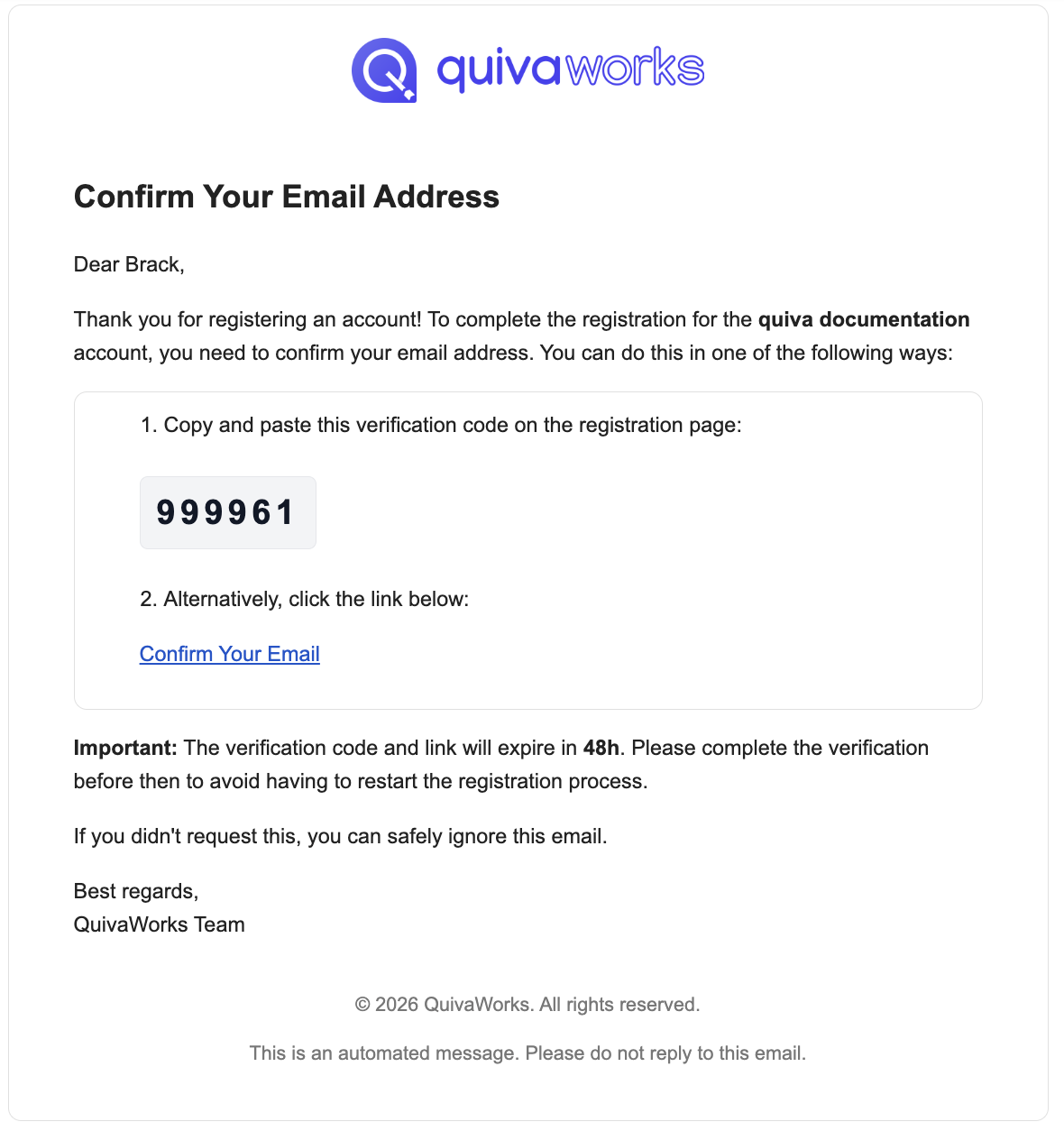
After registering, verify your email using either method in the “Confirm Your Email Address” email:- Verification code
- Magic link
- Open the email
- Find the 6-digit verification code
- Enter it on the verification screen
Verification links and codes expire after 2 days. Your account is not deleted if you don’t verify in time — a new verification email can be issued. Check your spam folder if nothing arrives within a few minutes.
Choose your plan
Free
- 2 seats
- 1,500 credits per month
- 45-day conversation retention
Pro
- Unlimited seats
- 20,000 credits per month
- 90-day conversation retention
Team
- Unlimited seats
- 90,000 credits per month
- 365-day conversation retention
Pricing is per account, not per user. You can change plan at any time — see Plans & Pricing.
Secure your account
We strongly recommend adding a second factor on your first login. You’ll be offered it after verifying your email, and you can choose Set Up Later and come back to it in personal Settings under Password and authentication.- Choose a method:
- Passkey — sign in with touch, facial recognition, a device password or a PIN
- Authenticator App — Google Authenticator, Authy, or similar
- Save your recovery codes somewhere safe. You get 10, and they let you back in if you lose your device.
More detail in the Authentication guide.
Next steps
Core concepts
How Abbie, Spaces, assistants and flows fit together
Create a Space
Organise files, tasks, records and chats
Build your first assistant
Configure instructions, knowledge and integrations
Invite your team
Add users and assign roles
Need help?
Community
Connect with other builders
Help Centre
Common questions and how to reach us