

This page is Abbie’s backlog — the work she is tracking for you. It is a different thing from
Tasks in a Space, which is your team’s own task tracker. An Abbie backlog item can
be handed over to it with Promote to task, described below.
Backlog and scheduled
The page splits into two segments:- Backlog: the queue of outstanding work, sorted so the item that’s been stalled longest surfaces first.
- Scheduled: a diary of what’s coming up, reminders and scheduled work sorted soonest-first, including anything overdue.
Filtering
Filter the backlog by status (to do, in progress, waiting on you, done, cancelled) or toggle to show only open items.Acting on an item
Depending on the item, you’ll see some combination of these actions: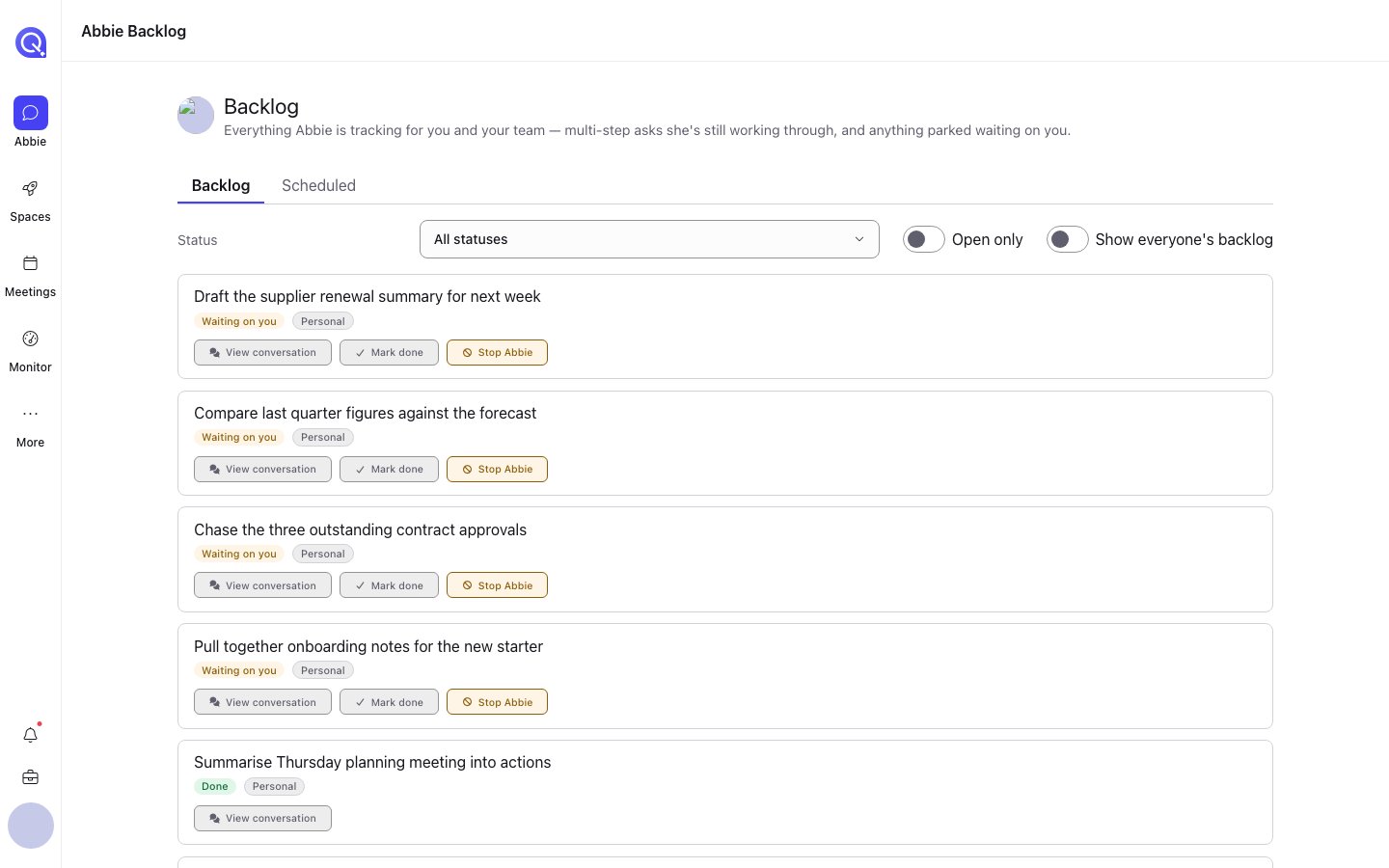
The Backlog page. Each item shows its status, its scope, and the actions it allows.
- Mark done
- Defer / Change follow-up: push out the date Abbie should next check back with you on this
- Clear follow-up
- Promote to team: move a personal item onto the shared team backlog
- Promote to task: hand the item off to your Space’s own task tracker; a real task is created there and the backlog item is marked done. Which Space it files into is set by the Task filing setting
- Reschedule / Cancel reminder / Stop repeating: for scheduled items and recurring reminders, see Reminders and schedules
- Open chat: jump to the conversation the item came from
- Stop Abbie: cancel the item, see Cancelling and deferring
Deep links
A link to a specific item (for instance from the “Abbie needs you” card on the home page) opens the Backlog page with that item highlighted.If you’re an account admin, you can also switch to a cross-account view to see what’s on other people’s personal backlogs, useful for keeping an eye on what Abbie is doing for your team without anyone reporting it manually.