

How a skill activates
A skill can switch on in two ways:- By matching what you said: a skill can be written to trigger on certain keywords or phrasing, so it activates automatically the moment it’s relevant.
- By Abbie finding it herself: she can also search her own catalogue of skills mid-conversation and pull one in when she judges it useful, even if nothing you typed matched a keyword directly.
Built-in skills
Abbie ships with a set of built-in skills covering the everyday work: platform operations, drafting and workflows, memory, knowledge lookup, and keeping track of her own backlog. You can turn any built-in skill off, and Abbie stops reaching for it entirely. One skill is always on and can’t be turned off, because it’s what lets her find all the others in the first place.Managing skills
Open the Skills tab in Abbie’s settings to see every built-in and custom skill on your account, with a simple on/off toggle for each. Selecting a skill shows its full detail: its description, what triggers it, which tools it grants, and — for a skill that ships its own code — the script approval controls covered in Running a skill’s scripts.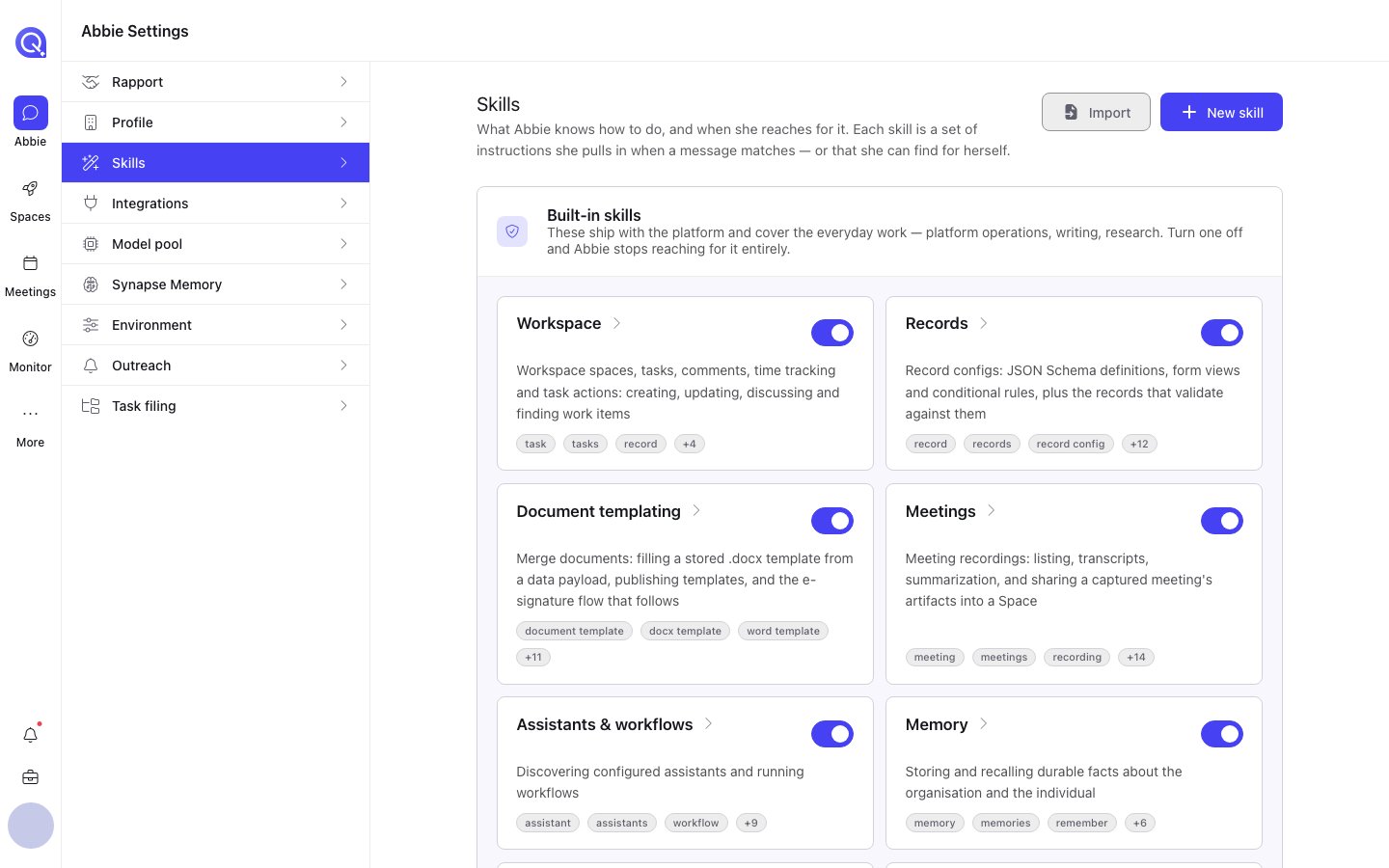
The Skills tab, showing the built-in skills and their toggles.
Beyond your own list
The Skills tab has two more areas besides your own list:- Browse: a catalogue of skills published by trusted GitHub source repos, installable in one click. See Browsing skills.
- Suggested: drafts Abbie has written herself after you’ve asked her to turn a conversation into a skill, waiting for your review. See Abbie drafting a skill.
Creating and importing skills
Write your own skill, or bring one in from elsewhere.
Browsing skills
Install a skill straight from a trusted GitHub source.
Abbie drafting a skill
Ask her to turn a conversation into a skill of its own.
Running a skill's scripts
The sandbox and approvals behind a skill’s own code.
Memory
The standing facts Abbie carries between conversations.