> ## Documentation Index
> Fetch the complete documentation index at: https://docs.quiva.ai/llms.txt
> Use this file to discover all available pages before exploring further.
# Rapport
> Abbie's account-wide voice, how she calibrates to you personally, and everything else on the Rapport tab.
Rapport is how Abbie adapts her manner, both account-wide, and specifically to you. It lives in the **Rapport** tab in [Abbie's settings](/abbie/configuring/settings-overview).
The tab holds six panels. Three are covered on this page; the other three have their own:
Prose facts about you, private to you.
Standing "do this instead" rules.
What has actually changed, and how to undo it.
## Base personality
This is the voice Abbie uses for everyone in your account: the account-wide starting point before any personal calibration. Pick one of the built-in voice presets, or open the prompt and write your own from scratch.
Because it applies to everyone, editing it is an account admin action.
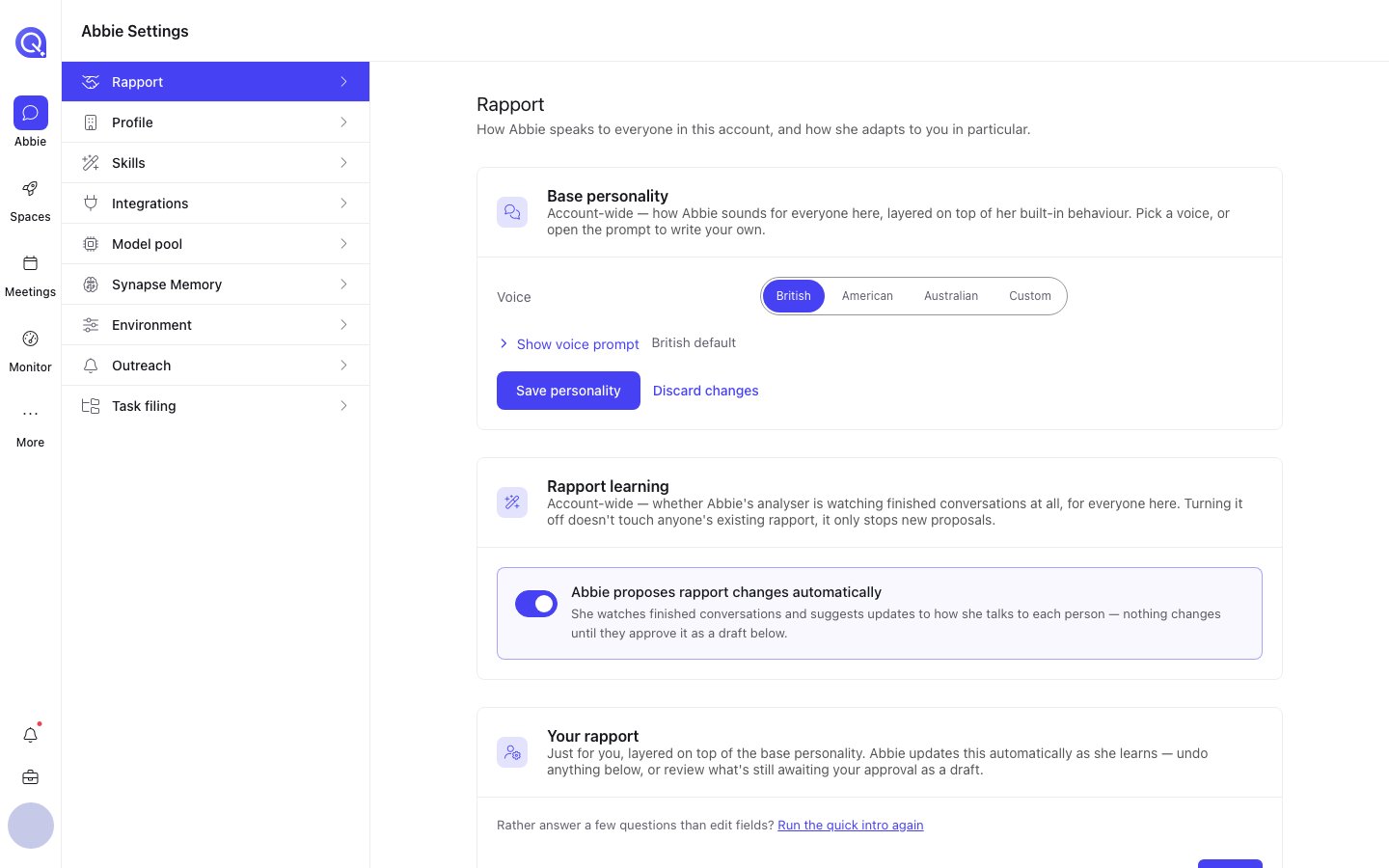 ## Your rapport
Layered on top of the base personality is a calibration just for you: your preferred formality (casual, neutral, formal), your preferred answer length (short, medium, long), and your role, which she uses to judge how much explanation to include. You can set these directly, or leave them for Abbie to work out on her own.
## How she learns it automatically
As you talk to her, Abbie's analyser notices patterns: you consistently want shorter answers, you've mentioned your role, your tone runs more formal than the default, and proposes an update to your rapport rather than changing it silently. A pending proposal shows up:
* On the [Abbie home page](/abbie/getting-started/abbie-home), in the "Abbie needs you" card.
* In the Rapport tab itself, as a draft you can review.
Most changes wait for your approval. If you'd rather not accept a suggestion, dismiss it and your rapport stays as it was; you can still edit the snapshot directly at any time regardless of what she's proposed.
Where she is confident enough, Abbie may apply a change without asking. Everything applied — whether you approved it or she applied it herself — is recorded in the [rapport log](/abbie/teaching/rapport-log), and any entry there can be undone individually.
Rapport is personal. What Abbie learns about how she talks to you doesn't change how she talks to anyone else on the account. The **base personality** above it is the exception — that one is account-wide, and admin-only.
## Your rapport
Layered on top of the base personality is a calibration just for you: your preferred formality (casual, neutral, formal), your preferred answer length (short, medium, long), and your role, which she uses to judge how much explanation to include. You can set these directly, or leave them for Abbie to work out on her own.
## How she learns it automatically
As you talk to her, Abbie's analyser notices patterns: you consistently want shorter answers, you've mentioned your role, your tone runs more formal than the default, and proposes an update to your rapport rather than changing it silently. A pending proposal shows up:
* On the [Abbie home page](/abbie/getting-started/abbie-home), in the "Abbie needs you" card.
* In the Rapport tab itself, as a draft you can review.
Most changes wait for your approval. If you'd rather not accept a suggestion, dismiss it and your rapport stays as it was; you can still edit the snapshot directly at any time regardless of what she's proposed.
Where she is confident enough, Abbie may apply a change without asking. Everything applied — whether you approved it or she applied it herself — is recorded in the [rapport log](/abbie/teaching/rapport-log), and any entry there can be undone individually.
Rapport is personal. What Abbie learns about how she talks to you doesn't change how she talks to anyone else on the account. The **base personality** above it is the exception — that one is account-wide, and admin-only.